Coming soon · iPhone & iPad

Explore how numbers are written across scripts, cultures, and centuries.

Type a number and see it in Devanagari, Eastern Arabic, Roman, Japanese, Greek, Hebrew, Egyptian hieroglyphs and more. Eleven numeral systems, one quiet screen, and a result you can copy into any app.
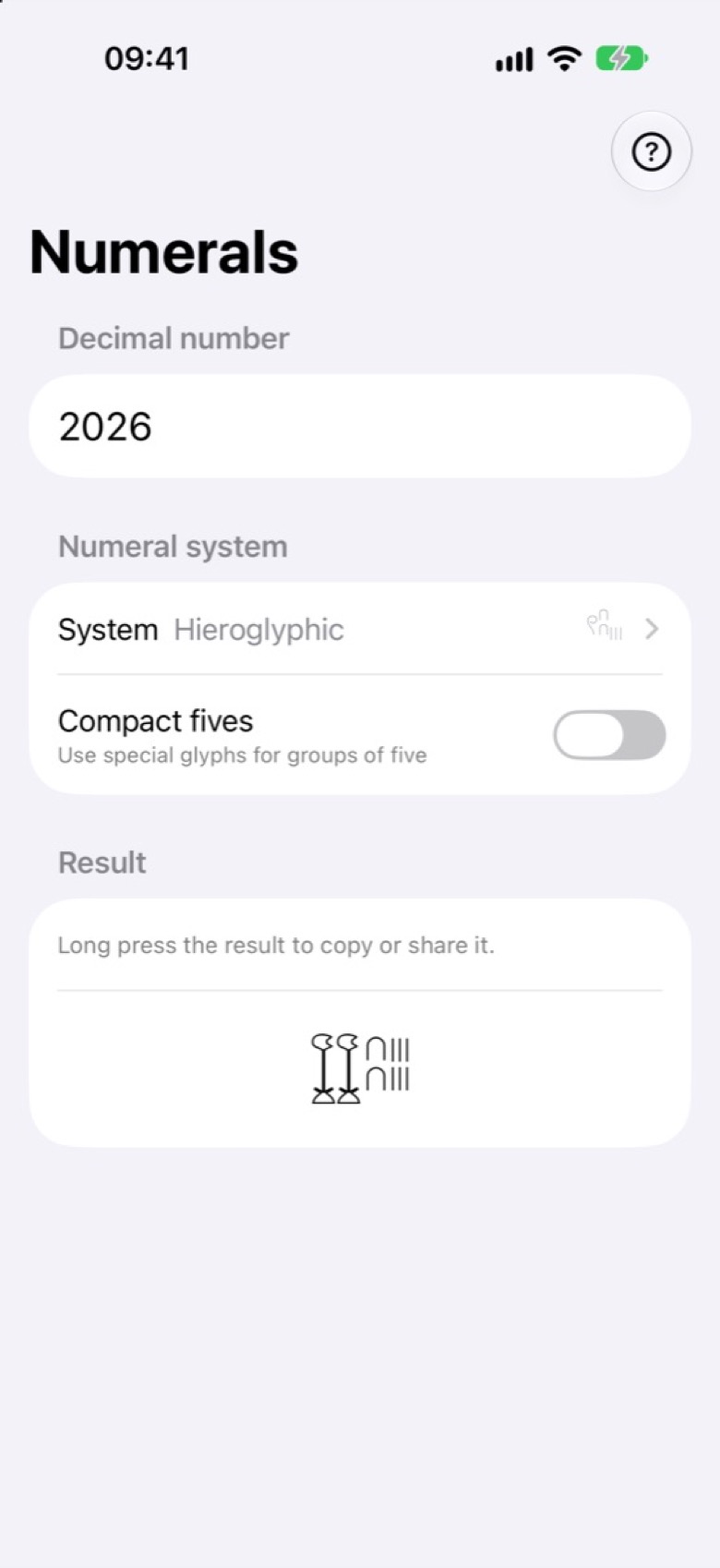
Numerals on iPhone: the number 2026 converted to Egyptian hieroglyphs, two lotus flowers, two hobbles for twenty and six strokes, with the Compact fives switch below the system picker.

Systems

Eleven ways to write a number

Numerals supports eleven systems: six that write the familiar decimal digits in another script, and five that build numbers in a different way altogether.

Positional digits

Familiar decimal values, written with different digit characters.

  • DevanagariThe digits used for Hindi, Marathi, Nepali and Sanskrit.
  • GujaratiThe digits of the Gujarati script.
  • PunjabiGurmukhi digits, as written in Punjabi.
  • TamilThe digits of the Tamil script.
  • Eastern ArabicThe digits used across much of the Arabic-speaking world.
  • PersianThe Persian forms of the Eastern Arabic digits.

Historical and traditional notations

Different ways of building a number, not just different digits.

  • RomanLetters from I to M, with overlines for thousands and millions. Option: additive fours.
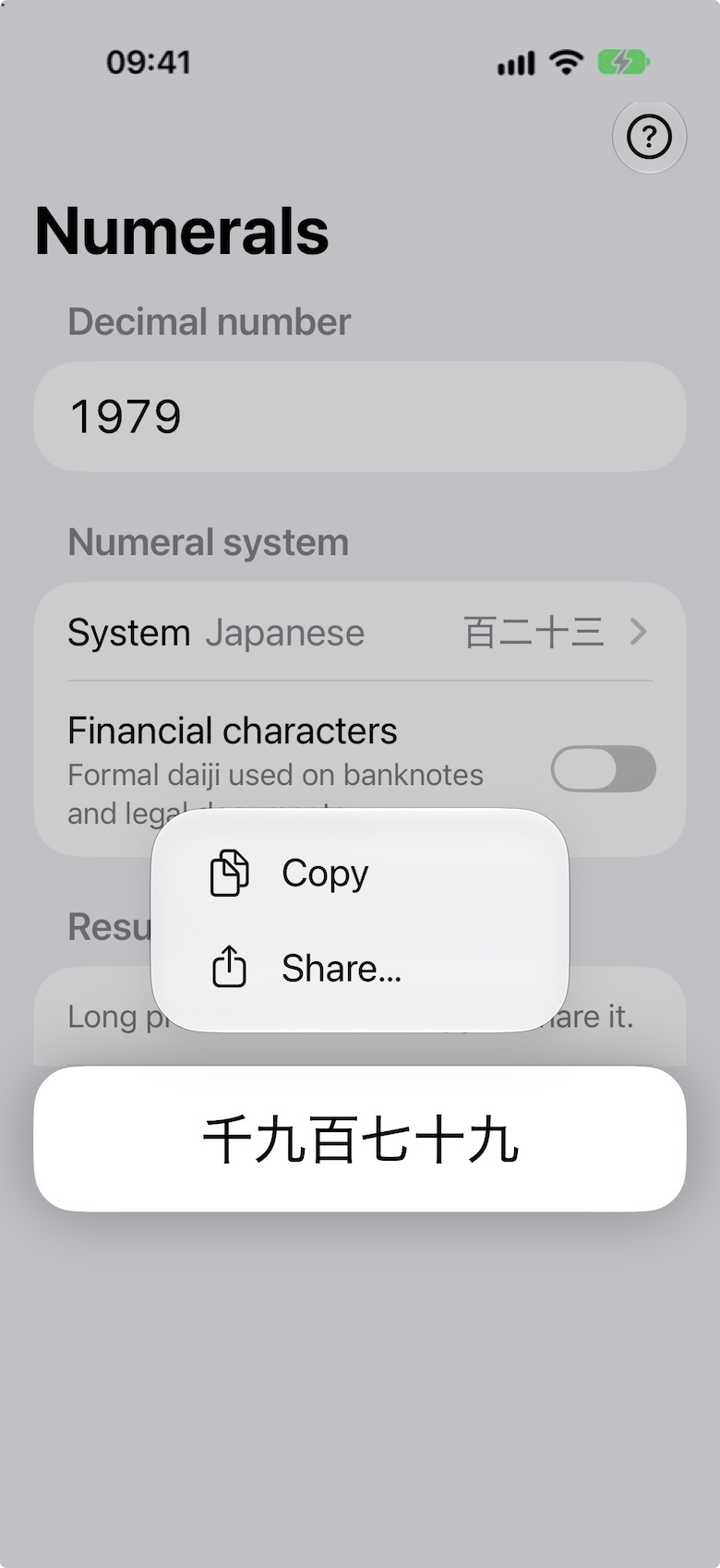
  • JapaneseKanji numerals, grouped in ten-thousands. Option: financial characters.
  • GreekLetters as numbers, marked with a keraia. Options: lowercase, stigma for six.
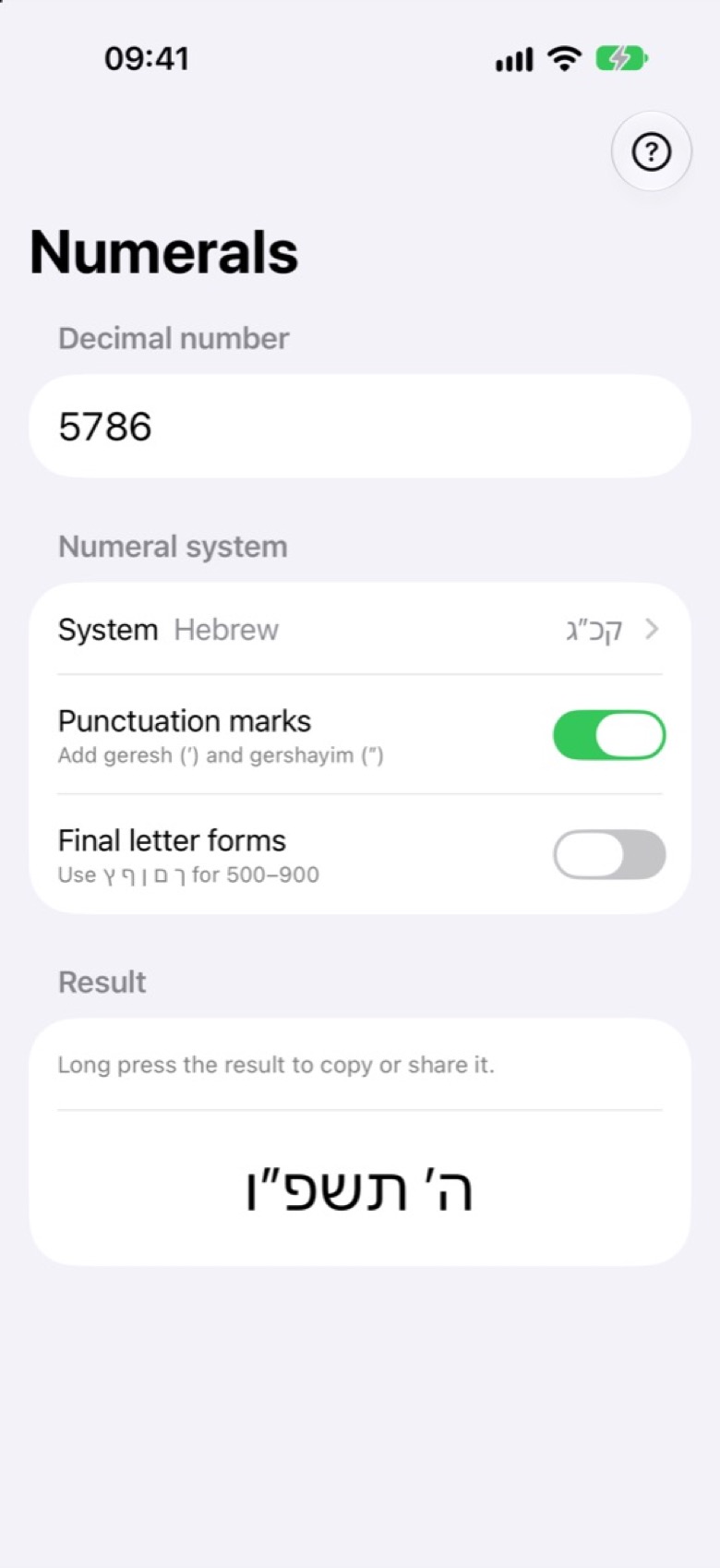
  • HebrewLetters as numbers, up to 999,999. Options: punctuation marks, final forms.
  • Egyptian hieroglyphicA sign for each power of ten, up to 9,999,999. Option: compact fives.

Notation

Choose the style, not just the system

Several systems have switches that change how the number is written, so you can compare the forms quickly and easily.

Roman

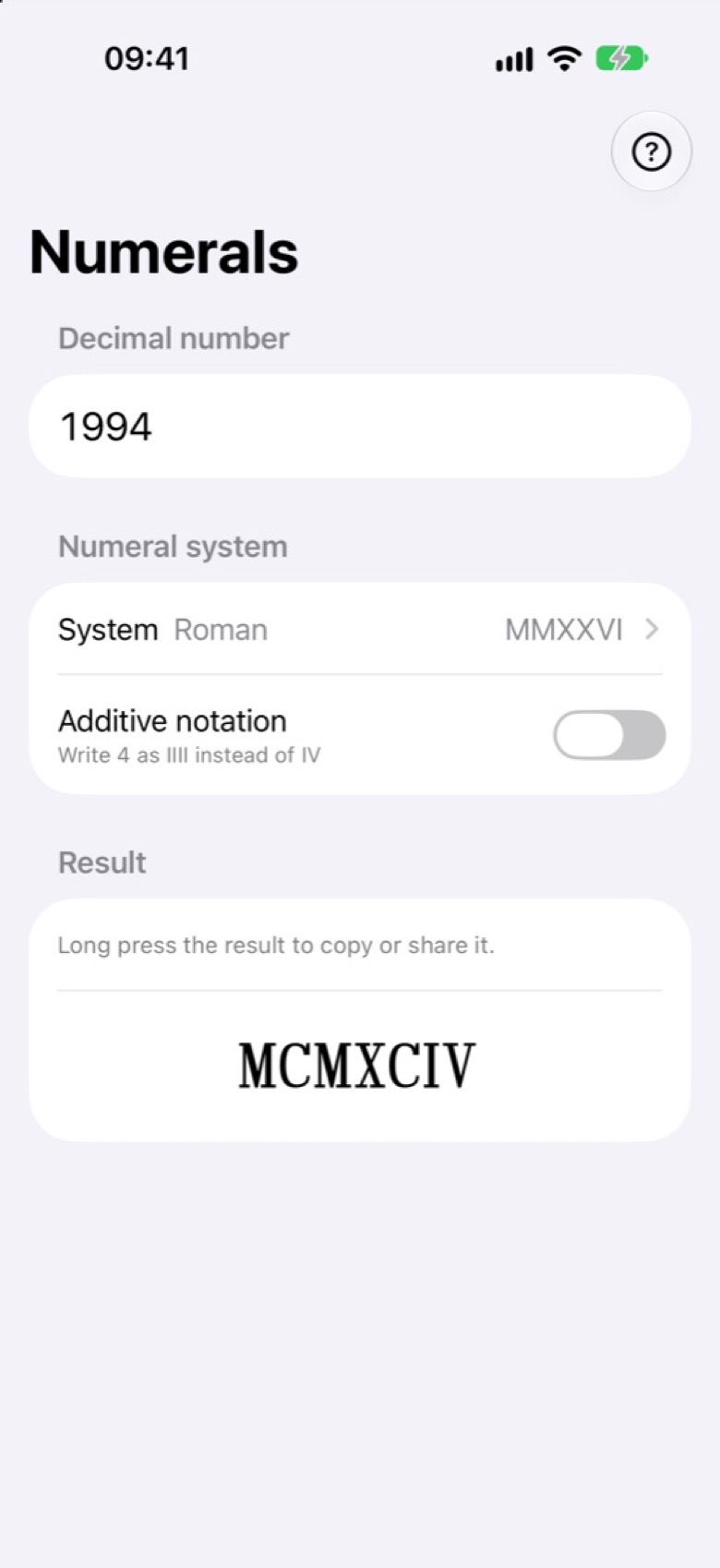
Standard subtractive notation, or additive forms such as IIII.

1994, standard
MCMXCIV
1994, additive
MD̶CCCCLXXXXIIII

Japanese

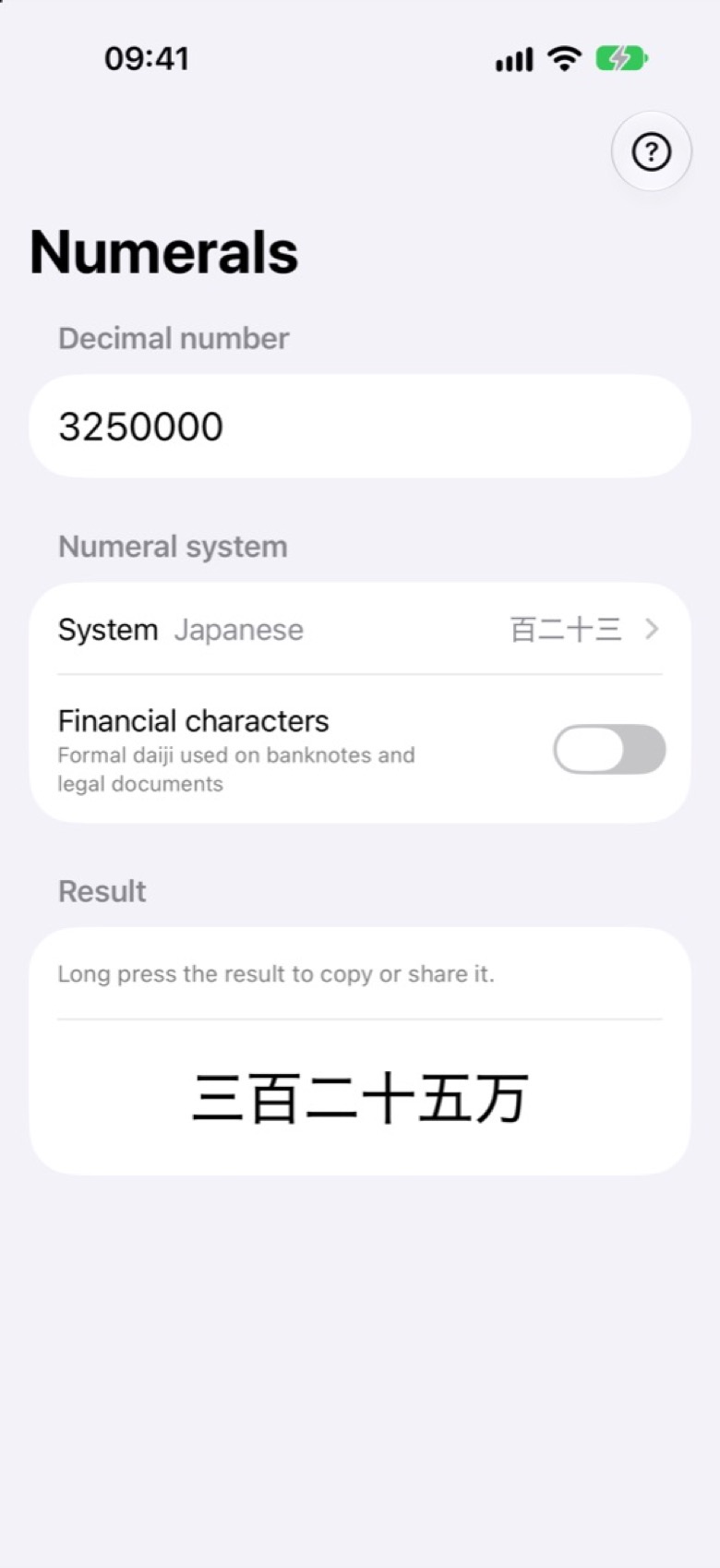
Common kanji numerals, or the formal characters used on banknotes and contracts.

3,250,000, common
三百二十五万
3,250,000, financial
参百弐拾五萬

Greek

Uppercase or lowercase letters, with digamma or stigma for six.

666, uppercase
ΧΞϜʹ
666, lowercase with stigma
χξϛʹ

Hebrew

Optional punctuation marks, and final letter forms for 500 to 900.

5,786, final forms
‏ה׳ ןפו
5,786, with marks
‏ה׳ תשפ״ו

Egyptian hieroglyphic

Optional compact symbols for groups of five.

555, standard
𓍦𓎊𓏾
555, compact fives
𓍫𓎒𓐃

These examples use your device's fonts, so a few characters may look different or invalid in this browser. The app bundles the Hindsight Unicode and Gardiner fonts so Roman, Greek, hieroglyphic, and other results can display reliably.

The app

One screen, made for looking closely

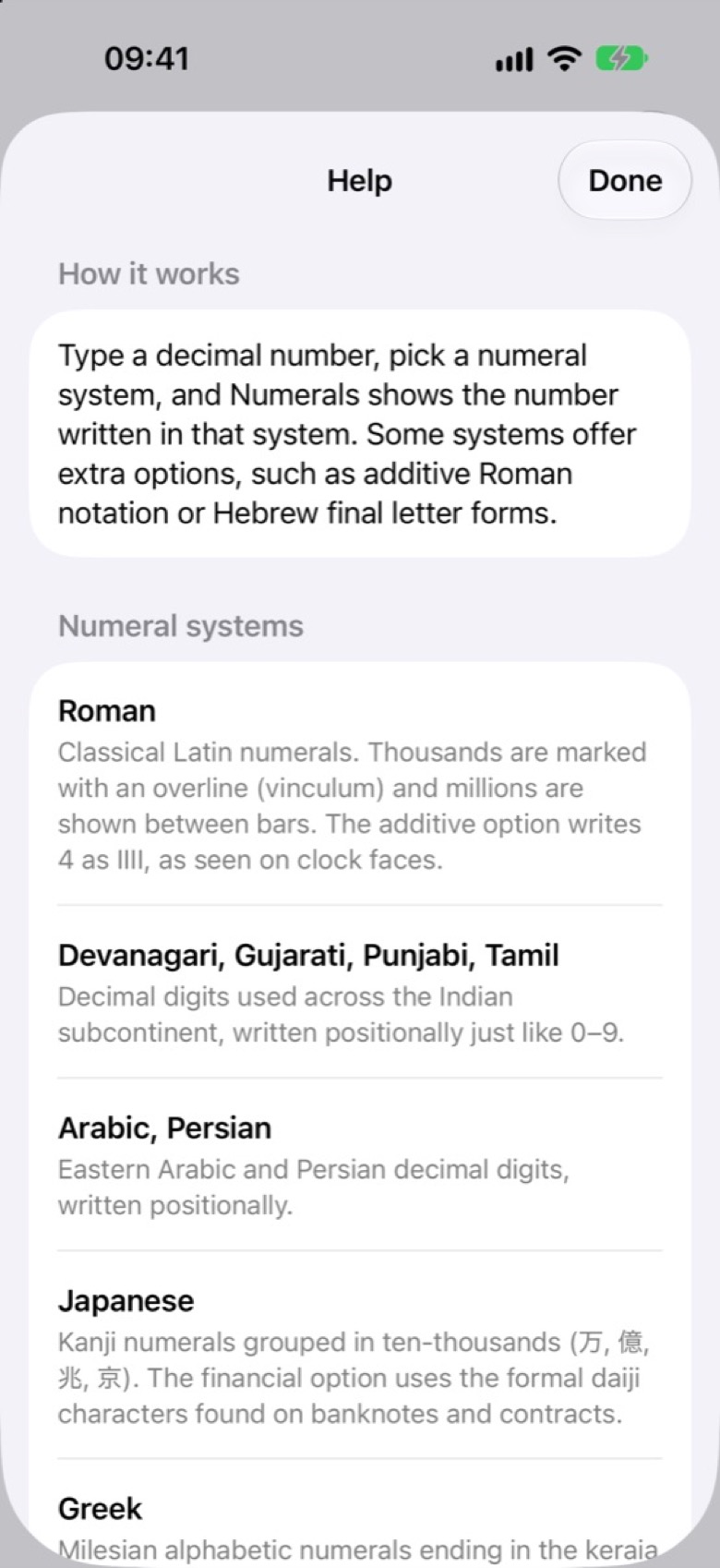
A number field, a system picker, the options for that system, and a large result. Long press the result to copy it or share it. The Numerals app remembers your system and options for next time.
Who it's for

For anyone curious about how numbers look

Students and teachers

Compare place-value digits with additive and alphabetic systems, and notice which traditions write no zero at all.

Language, history and type enthusiasts

Write a year in Hebrew letters or Roman numerals, or check out how ancient Greek writes numbers, then look at the characters up close.

Writers and designers

Get the exact numeral characters you need as real text, ready to share or paste into a document, a layout or a message.

Good to know

What Numerals can do, and what it cannot do

  • Digits in, numerals out. You type an ordinary number with 0–9 digits and choose the system to write it in. Numerals doesn't read numerals from photos or convert them back to decimal.
  • Some systems have limits. Hebrew numerals go up to 999,999 and hieroglyphs up to 9,999,999. The app tells you when a number is out of range.
  • Not every system has a zero. Roman, Greek, Hebrew, Japanese and hieroglyphic notation have no conventional way to write zero on its own.
  • A reference, not a course. The Help section explains each system and its notation, briefly. The app is for seeing and using numeral forms, not a full history lesson or a translator.